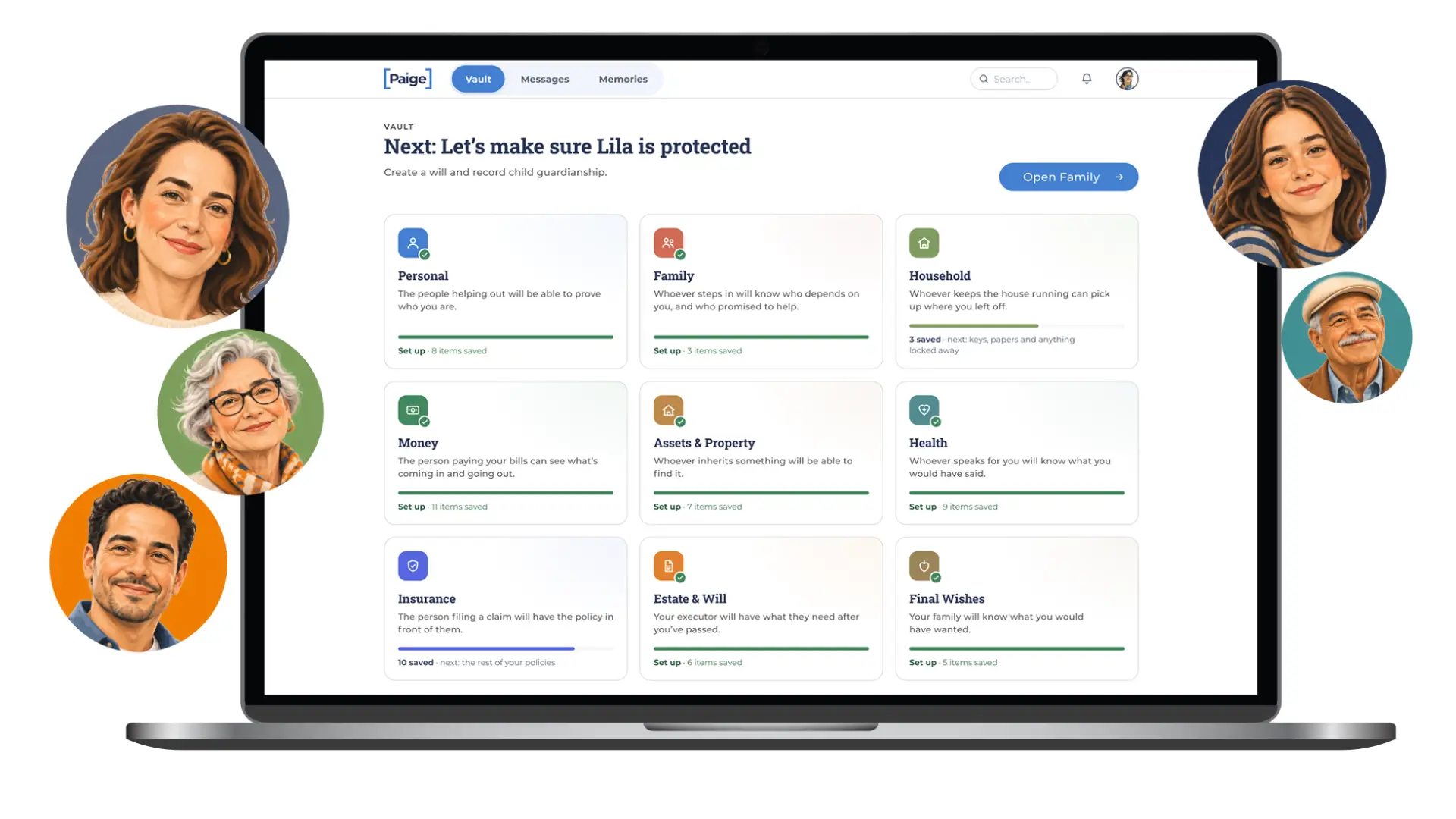
We've updated how Paige works so that planning for your loved ones feels more personal and easier to get through.
Paige now learns a little about you at the start and uses your answers to guide you through each step of your plan.
Let’s dive into what's changed, where to find any information you’ve already added, and what to expect the next time you log in.
If you'd like a quick tour first, watch this short video that walks through the new Paige.
What's changed in Paige
A few questions to get started
When you open Paige, a short set of questions helps it get to know you and the people who depend on you. It will also tailor your next steps based on whether or not you have a home or business to plan around, children to protect and more.
Guidance that fits your situation
Paige uses your answers to focus on the steps that apply to you and skips the ones that don't, so you aren't sorting through to-do’s that don’t apply.
The Vault, organized around your life
The Vault is the new home for your information, including the documents and passwords you used to keep in separate sections. It's organized around the parts of your life, from your personal details to your finances, health, and home.
Step-by-step prompts
Quick prompts walk you through the details your loved ones would need to know, like where your accounts are held, who your doctors are, and what insurance policies you’ve put in place, so nothing important gets missed.
What you'll see the next time you log in
If you already have a Paige account, here's what to expect:
-
A welcome message will explain the updates and invite you to answer a few onboarding questions so it can personalize your next steps.
-
You can answer the questions right away, or skip them for now and come back whenever you're ready.
-
Your documents and passwords will be in the Vault, sorted into the new life categories.
If you'd rather see your information the way it was organized before, you'll find the original layout at the bottom of the Vault.
Frequently asked questions
Is all my information still in there?
Everything you've saved is still in your account, now organized in the Vault. Nothing was deleted, and you don't need to add anything again. If you prefer the original layout, you can find it at the bottom of the Vault.
Do I need to do anything?
No. The next time you log in, you'll see a welcome message with a few onboarding questions. Answering them helps Paige show you which steps apply to you, but you can skip them and come back later.
Where did Documents and Passwords go?
The contents you placed into there are now part of the Vault. You'll find your files and passwords sorted into categories like finances, health, and home.
Why does my Contacts section look different?
Contacts is now called People. The people you've already added are still there, and you can keep adding loved ones and choosing what they can see.
Can I still create my will in Paige?
Yes. You can create your will in Paige the same way as before.
Who can I contact if I have questions?
You can explore our resource center for quick answers. If you need more assistance, reach out to our support team at help@go-paige.com, and we'll be glad to help.
Take a look at the new Paige
Log in to see how your plan looks in the Vault, answer a few quick questions, and Paige will show you which steps to work on next.